
Practising on the SQT1 security target
By Asset Firearms instructors. 14 November 2026.
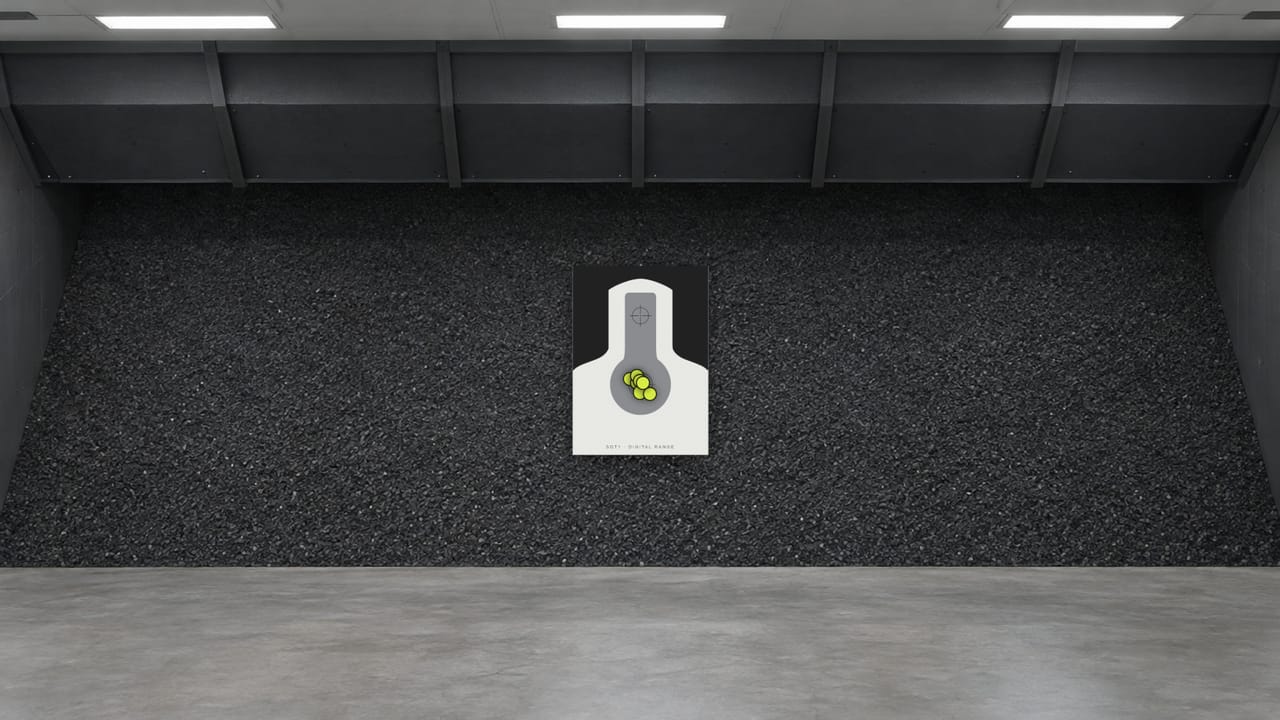
If you work in security, or you are training to, you may already know the SQT1 security target. It is a grey silhouette on a white background. Getting comfortable with it before you stand on a range makes a real difference to how calm you feel on the day.
A laser range lets you put in that time without ammunition, range bookings or noise. This article explains how to practise on the SQT1 in Digital Range, how the scoring works, and where the practice stops.
Practice, not qualification
Start with the important part. Practising on the SQT1 in Digital Range is practice only. It does not qualify you for anything and it does not count toward a licence. A licence qualification is shot under your licensing body's rules, with live fire, on a proper range, supervised by the people that body authorises.
Check your own state's requirements and talk to your training provider about what the qualification involves. If you need a nationally recognised course, see the Asset College firearms courses.
What laser practice can do is help you build the fundamentals between live sessions: a consistent grip, a clean sight picture and a smooth trigger press.
How the SQT1 is scored in Digital Range
The scoring follows the target's own colours.
- A hit in the grey scores. Each one is worth a point.
- A hit on the white counts but scores nothing. It is on the target, but outside the scoring area.
- A hit on the black, or off the target, is a miss.
The target also shows aiming circles. These are for training only, to give you a clear point of aim while you practise.
The Security Target Practice drill
The built-in drill is called Security Target Practice (10 rounds). It puts one SQT1 target on an indoor range scene and asks for ten rounds at your own pace.
There is no random start beep. The timer starts with the drill, and you have up to two minutes to fire all ten. That is generous on purpose. This is an accuracy drill, and the time is there so you never feel rushed into a poor shot.
When the tenth round lands, the results panel shows where every shot went. Look at the spread, not just the count. Ten hits in the grey is good. Ten hits in the grey in a tight group is better, because it shows the same shot, repeated.
Projected or paper
The drill runs in both modes.
- Projected mode shows the SQT1 on a screen or wall in a range scene, with the camera watching the projection.
- Paper mode uses a printed SQT1. Print it from the app on an ordinary office printer, pin it to a wall, and the camera finds it by its corner markers and scores each laser hit on the paper.
Paper mode is often the more practical choice for a training room or a small office. It needs no projector. If you are not sure which suits you, read paper or projected.
A short practice session
- Fire one run of ten at your own pace and note your score and group.
- Talk through the results with your instructor. Where did the white and black hits go?
- Work on one thing only, such as trigger press or sight alignment.
- Fire a second run and compare.
Write your numbers down if you want to see them next week. Digital Range keeps no shooter data, with no accounts, no names and no history. Results stay on screen until the app closes and then they are gone.
If your groups lean in one direction, our article on reading your shot group lists common causes to check with a coach.
Safety still applies
Use laser training firearms only, and never have a live firearm or ammunition near the setup. Keep your finger off the trigger until you are on target and keep the muzzle in a safe direction. Practise under a qualified instructor and follow your training provider's or club's rules.
Laser practice supplements supervised live-fire training. It never replaces it. Use it to arrive at the range better prepared, then do the real work there.