
Choosing between paper and projected laser training
By Asset Firearms instructors. 14 November 2026.
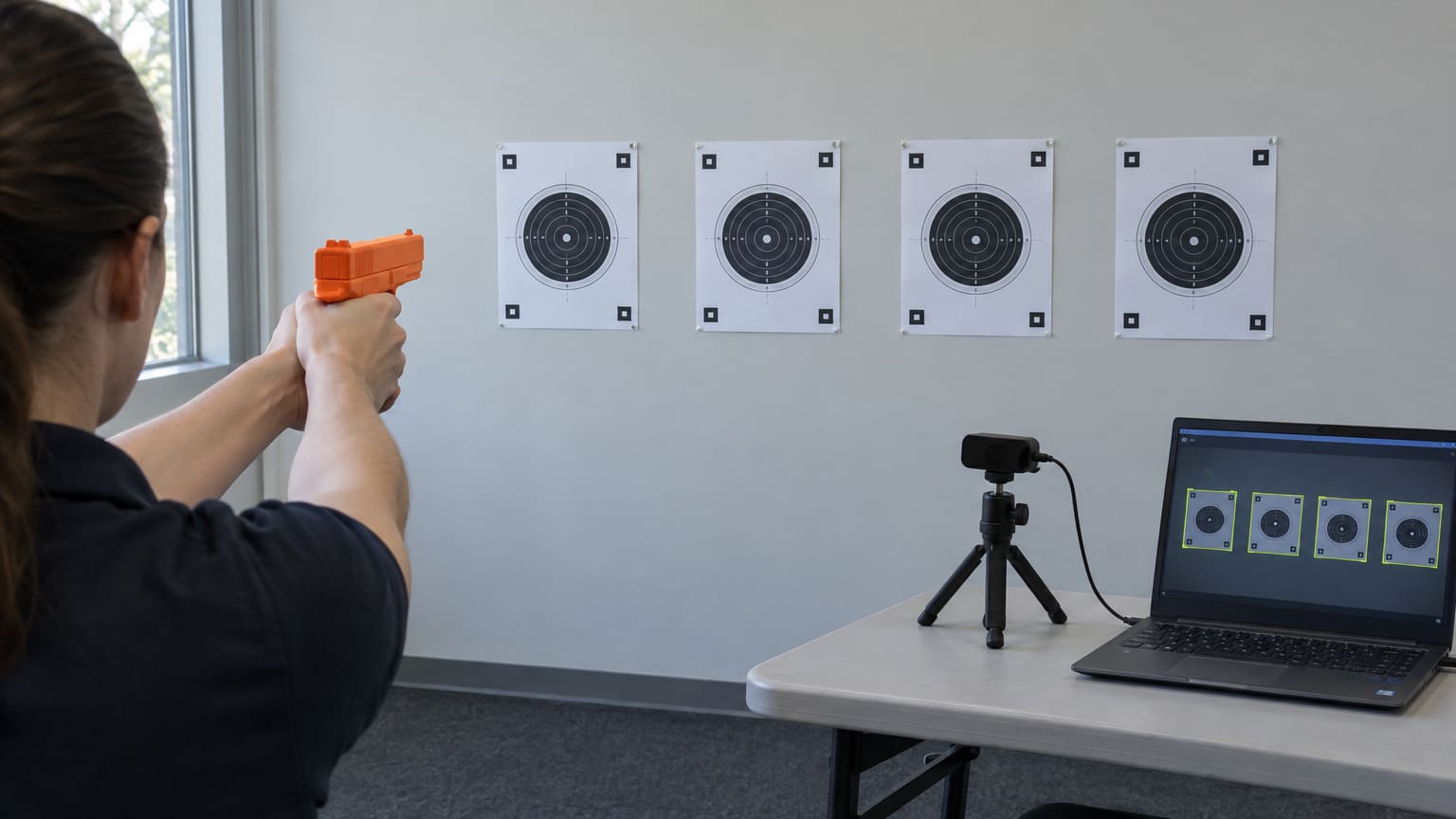
Digital Range runs in two modes, and you choose one at the start of each session. Projected mode throws a full scene on a wall. Paper mode scores laser hits on printed targets pinned up in front of you. Both give the same scoring, splits and results.
The right choice depends on the room, the gear you have and what you want to practise. The two modes are summarised on the home page.
Projected mode
A projector puts a scene on a screen or wall, and the camera watches it. This is the mode for anything that moves or changes.
Choose projected when you want:
- Moving targets. The Horizontal Translator, Bobber and Crossing Targets drills run here.
- Pop-up and timed exposures. Targets that appear for a short window and disappear again.
- Scenes. Seventeen backdrops, from an indoor range to a car park and a shoot house.
- Low-light work. The Low Light Accuracy and Strobe Transitions drills.
- Games. Balloon Pop, Balloon Rise and Not the White One, which work well on open days.
What you need: a Windows PC, a projector bright enough for the room, and a global-shutter USB camera. A room you can dim helps the image.
Paper mode
Paper mode needs no projector at all. Print the targets from the app on an ordinary office printer, in A4 or A3, and pin them to a wall. Each printed Digital Range target carries corner markers, so the camera finds it in a second and scores each laser hit on the paper itself.
You can use your own targets too. Click the four corners of each one and choose what it is. A test shot shows which target it landed on, so you can check the setup before the first run.
Paper mode suits:
- Static accuracy work. Slow fire, the Five-Shot Group and Dot Torture.
- Speed drills on fixed targets. The Bill Drill, Mozambique, FAST Drill and El Presidente all run on paper.
- Security target practice. The SQT1 security target prints straight from the app.
- Bright rooms. There is no projected image to wash out, so a well-lit hall or classroom is fine.
- Portability. A folder of targets and some pins fit in any range bag.
The tablet setup
Paper mode does not need a computer either. An iPad or Android tablet on a tripod can run Digital Range in its web browser. The tablet's back camera watches the printed targets, and its own screen is the instructor screen, showing hits, splits and results.
That means no PC, no projector and no USB camera. For a small club, a mobile instructor or a quick session in a spare room, a tablet, a tripod and a printer are the whole kit.
Projected mode still uses a computer and a projector.
Questions to ask yourself
- Is the room dark or bright? A bright room favours paper. A room you can dim suits either.
- Do you need targets that move or pop up? Then you need projected mode.
- How much gear can you carry? Paper mode on a tablet is the lightest setup.
- Who is training? New shooters often settle faster on a plain paper target. Experienced members get more from scenes and moving targets.
- Where are you setting up? Check the space against your club's range standing orders, whichever mode you choose.
Many clubs will end up using both: paper for a quick accuracy session, projected for a full training night.
The rules are the same in both
Whichever mode you choose, use laser training firearms only, with no live firearm or ammunition near the setup. Keep your finger off the trigger until you are on target and the muzzle in a safe direction. Laser training is practice that supports supervised live fire. It does not replace it.
To check what you need for each mode, see the hardware list. If you are going down the tablet route, read laser training with a tablet and paper targets.