
Laser training with a tablet and paper targets
By Asset Firearms instructors. 14 November 2026.
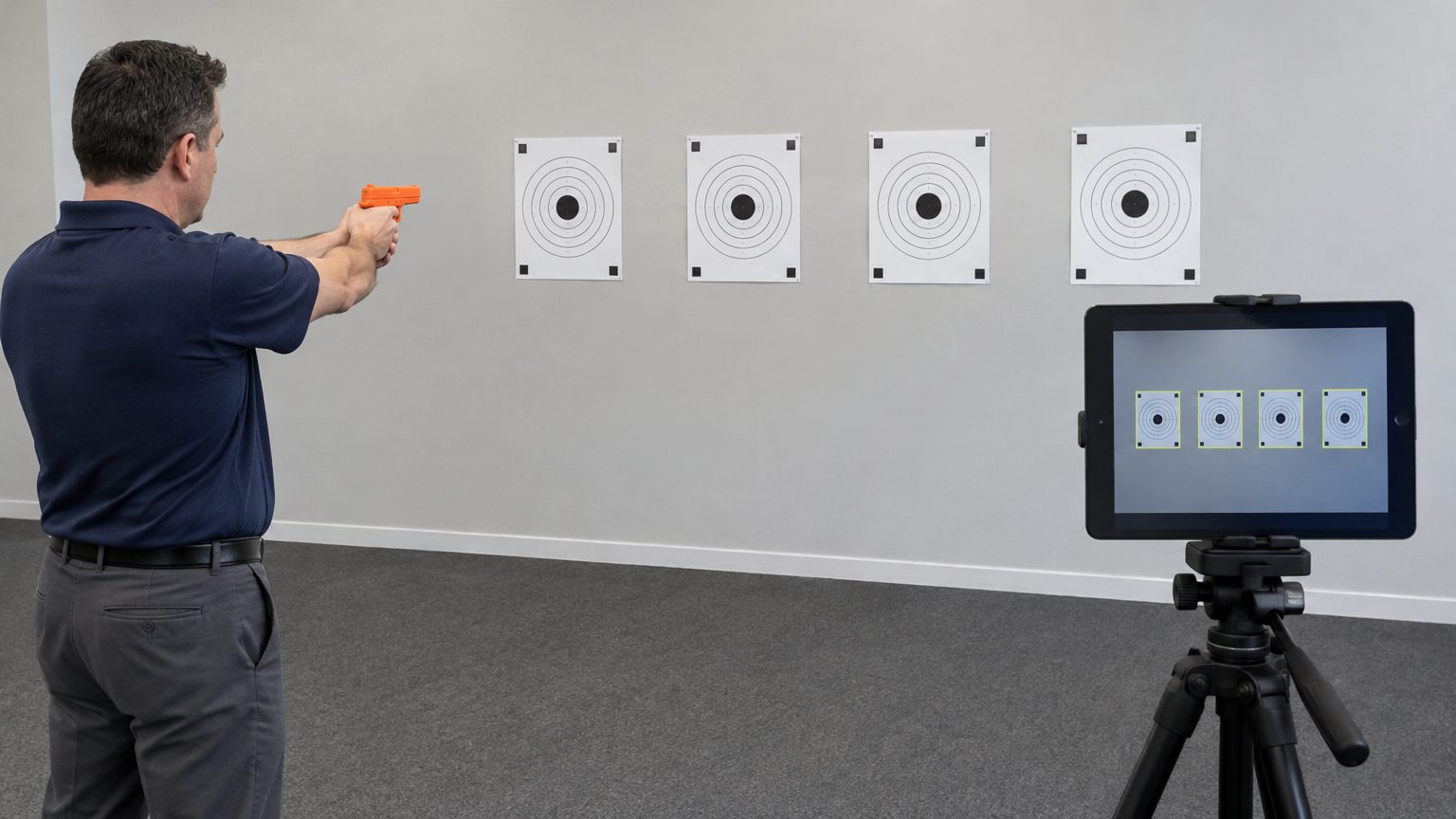
The simplest laser range you can set up fits in a backpack. A tablet, a tripod, a few printed targets and a laser training firearm are all you need for Digital Range paper mode. There is no computer to carry, no projector to focus and no USB camera to cable up.
This article walks through how the tablet setup works and how to get the most out of it.
How the tablet setup works
In paper mode, a tablet on a tripod can run Digital Range in its web browser. An iPad or an Android tablet will do.
The tablet does two jobs at once.
- Its back camera watches the targets. You point it at the printed targets on the wall and it sees each laser hit.
- Its own screen is the instructor screen. The timer, the drill and the results all show on the tablet.
That is the whole kit. Projected mode is different: it still uses a computer and a projector, because it throws a full scene onto a screen or wall. If you want moving targets and scenes, see how a projected laser range works. If you want something quick and portable, the tablet is hard to beat.
What you need
- A tablet, iPad or Android, with a working back camera.
- A tripod with a tablet mount, so the camera stays still.
- Printed targets. Print them from the app on an ordinary office printer, in A4 or A3.
- A laser training firearm. Red, green and infrared trainers all work, both pulse and sustained-beam.
- A wall and some pins or tape.
Setting up
- Print and pin. Print the targets you need and pin them flat on a wall. Keep them at a height that suits the shooter.
- Place the tripod. Stand the tablet so its back camera can see every target clearly. Keep the tripod out of the shooter's way and out of the line of fire.
- Let it find the targets. Each printed Digital Range target carries corner markers, so the camera finds it in a second.
- Fire a test shot. A test shot shows which target it landed on, so you know the setup is right before you start.
If you have your own paper targets, they work too. Mark their four corners by hand and choose what each one is.
Choosing drills
Not every drill runs on paper, because some need projected scenes, moving targets or lighting effects. Pick from the drills that support paper mode in the drill library. Security Target Practice is one, with the SQT1 security target printed straight from the app. Our article on practising on the SQT1 covers it in detail.
Scoring works the same way as on the projected range. You get the same splits, zones and results.
Getting good results
- Keep the tablet still. A bumped tripod moves the camera's view. If it gets knocked, check the targets are still found before you carry on.
- Light the targets evenly. Paper mode is happy in a bright room, but avoid strong glare across the paper.
- Keep the targets flat. Curled or creased paper is harder to read.
- Give the shooter room. The instructor needs to see the tablet screen and the shooter at the same time.
Privacy and results
Like the rest of Digital Range, the tablet setup keeps no shooter data. There are no accounts and no names, and nothing about a shooter is stored. Results stay on screen until the app closes. If you want to track your progress over the weeks, write your scores and times down yourself.
Safety first
Use laser training firearms only, and never have a live firearm or ammunition near the setup. Keep your finger off the trigger until you are on target, and keep the muzzle pointed at the targets and away from people, including whoever is standing at the tripod. Laser training firearms remain subject to your state's laws and your club's protocols, so check both before you set up at home or at a venue.
Laser practice is a supplement to supervised live fire, not a replacement for it. A tablet setup is a good way to keep the fundamentals sharp between range days.
Digital Range is free during its beta. For a side-by-side look at the two setups, see projected and paper modes.